Seeing the proof: test evidence with screenshots and recordings in the cockpit
How the Factory went from 'the tests passed' to 'here is the page, here is the click, watch the recording' — visible in both TFactory and CFactory
A verification pipeline has one job: earn your trust. The hard part is not running the tests — it is letting a human see that what we claim happened actually happened. For a while the Factory could say “all five acceptance criteria verified” and even point at a ledger that named the screenshots it captured. But when you opened the cockpit, there were no pictures. Evidence existed as files on disk; nothing rendered it. “Trust me” is not evidence. This post is about closing that gap end to end, on a real run.
The unit of work
We used a deliberately small target so the proof is unambiguous: a one-page FastAPI
app with a heading, a “Ping” button that calls GET /api/ping, and two JSON endpoints.
Its acceptance criteria are the kind a human can check by eye:
AC#1  GET / returns HTTP 200, page titled "Factory Demo"
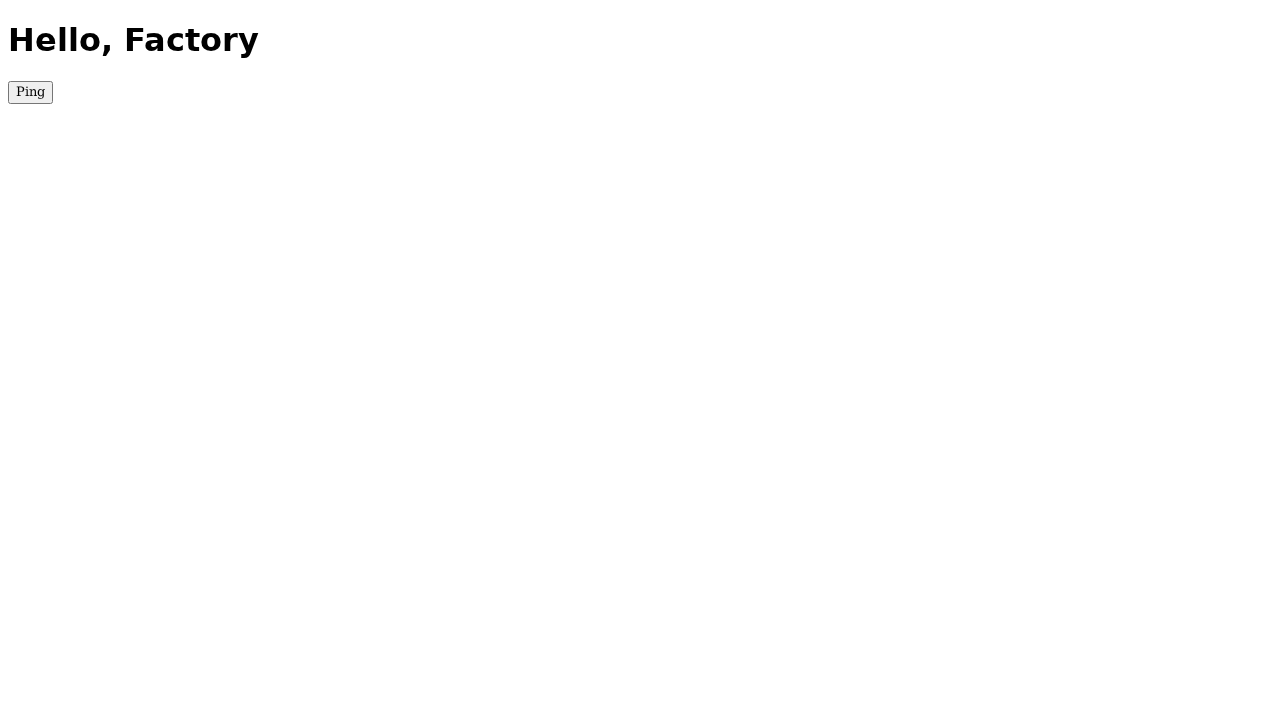
AC#2  Page shows the heading <h1>Hello, Factory</h1>
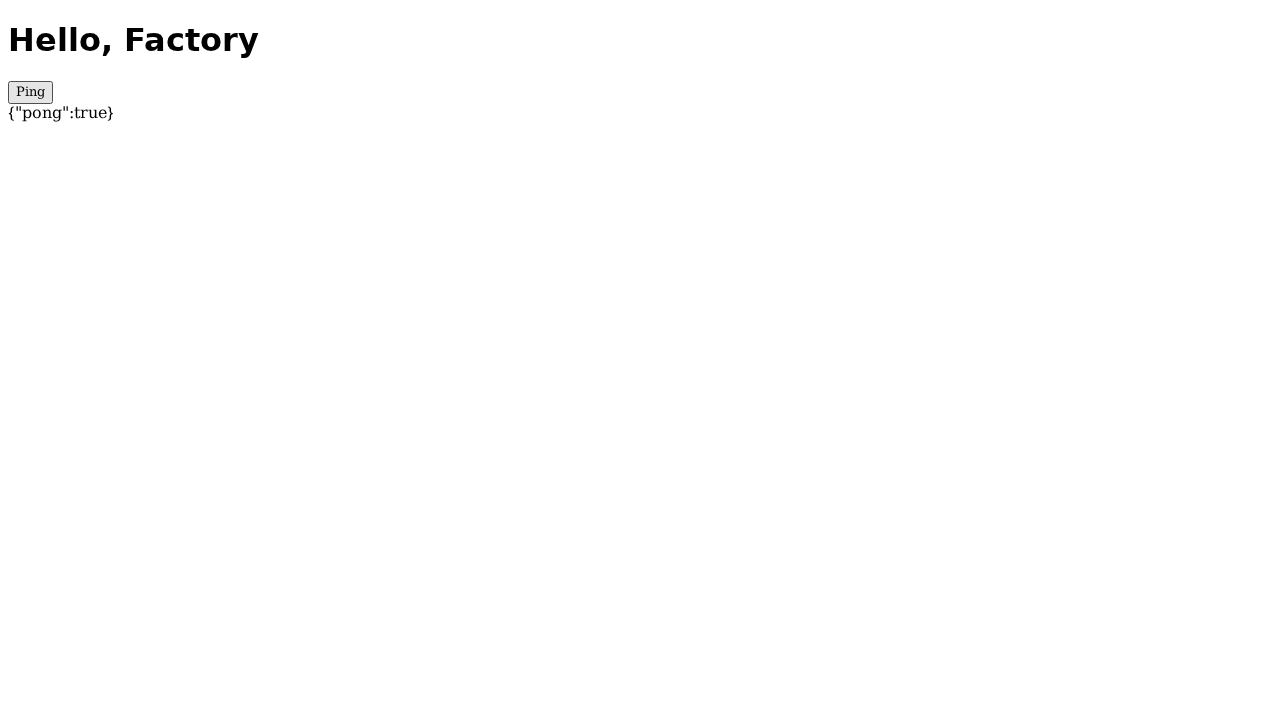
AC#3  Ping button calls GET /api/ping and shows the JSON in #result
AC#4  GET /api/ping returns {"pong": true}
AC#5  GET /health returns {"status": "ok"}
AC#1–#3 are interactive: you cannot honestly verify them by grepping source. They need a real browser, rendering a real page, clicking a real button.
How the evidence is produced
The browser lane runs under RFC-0005 Tier A — a per-task Nix toolchain materialised inside an ephemeral Kubernetes Job (the cluster pods have no container runtime, so a Job is how we get an isolated, reproducible environment). Inside that Job we:
- Serve the app under test with
uvicornon a loopback port. - Run the generated Playwright specs against it, with a runner config that forces
screenshot: 'on'andvideo: 'on'— so every test leaves a PNG and a WebM recording even when the generated spec never callspage.screenshotitself. - Collect those artifacts back into the spec’s
findings/screenshots/andfindings/videos/, and parse the JUnit report into a per-criterion pass/fail.
That per-criterion result feeds the acceptance-criteria fidelity ledger: each AC is
graded verified only when a test that exercises it actually passed. The headline is
honest by construction — “Verified 5/5”, never a blanket “done”.
Here is the page the browser actually rendered, captured by the run:
And here is AC#3 — after the click, the #result element shows the JSON the button
fetched from the API:
Those are not mockups. They are the exact bytes the test produced, pulled straight from the run.
Making it visible — TFactory
Capturing artifacts is half the job; the other half is serving and rendering them. Two gaps had to close:
- Serving. The screenshots and recordings live under
findings/screenshots/andfindings/videos/, which had no HTTP route. We addedGET …/screenshots/{file}and…/videos/{file}that stream the bytes with the right content type, behind the same path-traversal guard as the rest of the artifact API. - Rendering. The task detail now has an Acceptance tab (the per-criterion ledger
plus the screenshots and recordings that prove each one) and the Evidence tab shows
the same gallery. The Evidence tab used to read its data only from per-test
evidence_urls, which the Nix browser lane never populates — so it sat empty even when evidence existed. That was exactly the confusing “the tests passed but I see nothing” symptom. Both tabs now render the real<img>and<video controls>media.
Making it visible — CFactory
CFactory is the one-pane cockpit over the whole pipeline, so the same proof belongs there
when you open a finished work item. The wrinkle: the cockpit is authenticated to CFactory,
not to TFactory, so an <img> pointing straight at TFactory could not carry the right
credential. CFactory therefore proxies the bytes — it resolves the work item’s TFactory
spec, fetches the screenshot or recording with its own upstream token, and streams it back
same-origin. Open a “Done” task and you get a Test evidence section: the recordings as
players, the screenshots as thumbnails. On this run that section showed five recordings and
five screenshots, each of them the “Hello, Factory” page the tests drove.
What we verified, for real
This is a verification feature, so it would be hypocritical not to verify it. On the live cluster:
- Two consecutive browser runs: 3 of 3 specs passing each time, six screenshots and five recordings captured per run.
- TFactory’s screenshot endpoint returns a valid PNG (HTTP 200,
image/png); the video endpoint returns a valid WebM (HTTP 200,video/webm). - CFactory’s process detail carries the evidence manifest, and its proxy returns the same valid PNG and WebM bytes for the real work item.
- The acceptance ledger reads Verified 5/5, with the title, heading, and ping-button criteria each backed by a screenshot.
What we achieved
The Factory no longer asks you to take its word. For interactive acceptance criteria it captures the rendered page and a recording of the test driving it, grades each criterion against a test that actually ran, and shows that proof in two places: inline with the verdict in TFactory, and on the finished task in the CFactory cockpit. “The tests passed” became “here is the page, here is the click, watch the recording.” That is the difference between a green checkmark and evidence.