Demoing the Factory: one MFA-gated change, from plan to proof
How we showcase the whole PARR pipeline on a single unit of work that hides behind two-factor auth — the planning logic, the 2FA-authenticated test, and the evidence in the cockpit
The best demo of a verification pipeline is the one that refuses to hand-wave. So when we set out to show the Factory end to end, we picked a target that forces honesty at every step: a change whose acceptance can only be checked behind a login that demands a one-time code. If the pipeline can plan that work transparently, log in through 2FA, and show you the proof, there is nowhere for “trust me” to hide.
This post is that demo, narrated. Three acts on one unit of work: plan it, verify it behind MFA, see the proof.
Act 1 — Plan it, transparently
Planning is where trust is won or lost, so PFactory treats it as a pipeline of inspectable steps, not a black box. A request is normalized, classified, enriched with real environment facts, decomposed into child issues with a dependency graph, and then run through a hard readiness gate before anything is emitted. The gate is a registry of small, deterministic checks, each of which can block emission:
children-present— the epic actually decomposed into work.criteria-presentandac-child-coverage— every acceptance criterion maps to a child.deps-sound— no dependency cycles or dangling edges.access-granted— no required capability is denied.env-buildable— the target environment can actually build and run the work (a read-only local-cluster probe, the newest addition).decompose-trustworthy— the planner didn’t silently fall back to a heuristic.no-blocking-findings— no hardcoded secret or policy violation; this one is never waivable.
A plan that fails a hard check cannot be emitted unless a human records a waiver, and
the waiver is bound to the plan’s content hash — edit the plan and the waiver goes stale.
Approval is bound the same way. When the gate is satisfied, PFactory emits a signed Task
Contract (HMAC over the plan), so the downstream services can prove the work they execute
is the work that was approved. That is the whole trust story in one sentence: every gate is
named and inspectable, every override is recorded against a hash, and the contract is
signed. (See planning-and-trust.md and task-contract.md for the long version.)
Act 2 — Verify it behind MFA
Now the interesting part. Our unit of work can only be confirmed by signing in to an app that requires a TOTP one-time code — the same kind of 2FA you use on your own accounts.
We do not fake it, and we never touch a production credential. Following RFC-0007’s Class C
pattern, the pipeline provisions a disposable Keycloak identity provider, seeds a test
user whose OTP secret we choose, points the test at it, and tears it down afterwards.
Because we own the secret, we can generate valid codes with our own RFC-6238 generator —
the same math the real authenticator app runs. The generated browser test declares its
credential and a fill_totp login step; at run time it mints a fresh code from the seed
and types it in, exactly when the form asks for it.
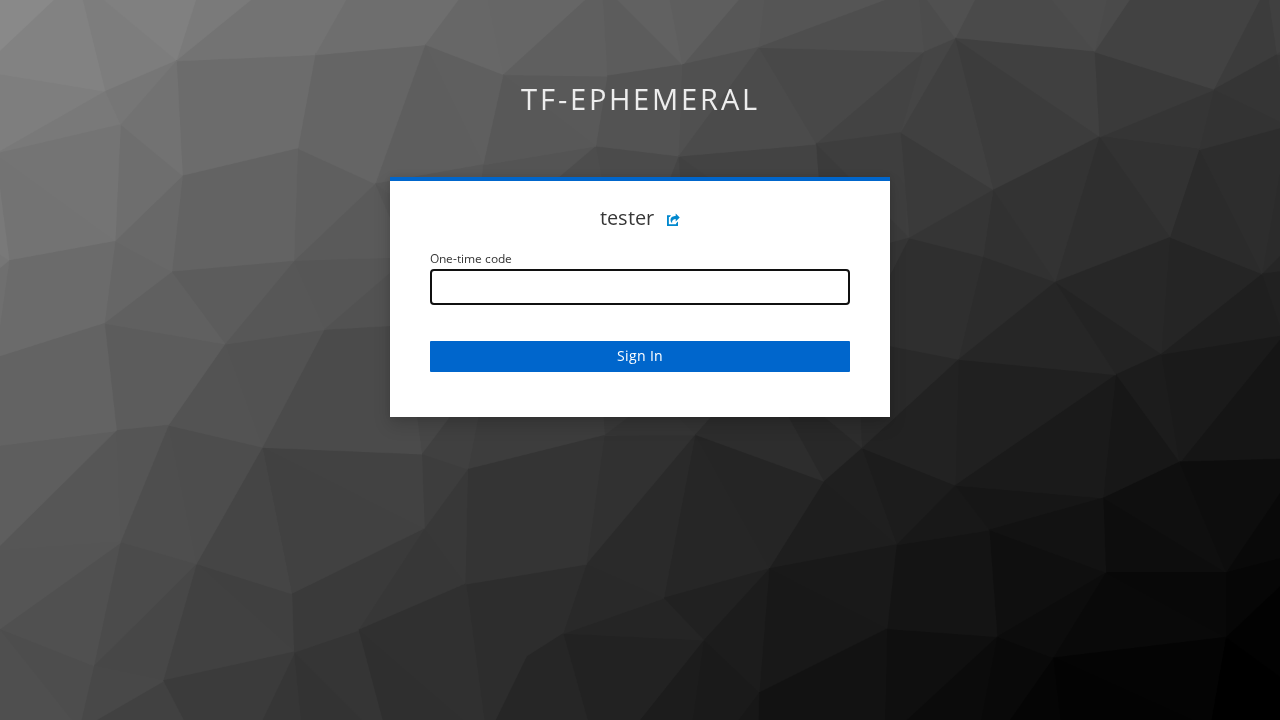
Here is the gate the test has to pass — the app, having accepted the username and password, demanding the one-time code:
And here is the test on the other side of it — signed in, the account console rendering for “Test User”:
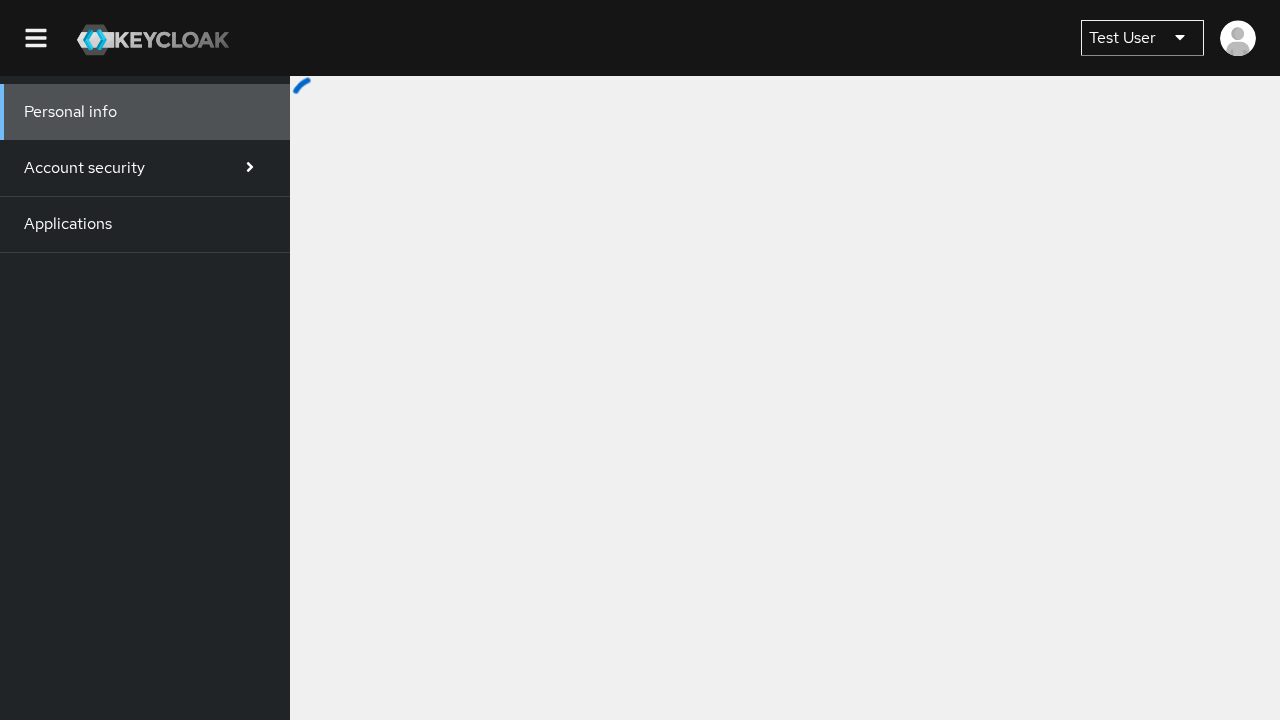
That second screenshot is the whole point. A machine generated a time-based one-time code, submitted it to a real Keycloak, and the IdP’s own verifier accepted it — no human, no standing secret, fully torn down at the end.
The honest part
Building this demo surfaced a real bug, which is exactly what a demo built on real runs is
supposed to do. The Playwright config that wires the login put storageState in the global
settings, where it applied to every project — including the “log in once” setup project
whose job is to create that session file. So the setup died on the first line, trying to
read a session that did not exist yet, and the entire authenticated-test path could never
run. The fix was small (put storageState only on the project that reuses the session) but
the lesson is not: we found it because we insisted on a live login with a screenshot at the
end, instead of asserting success in a unit test. It is fixed, with a regression test that
locks the placement.
Act 3 — See the proof in the cockpit
The screenshots and the recording of the login do not live in a CI log you have to dig for. They land as evidence on the task, and the cockpits render them: TFactory shows the captured screenshots and recordings inline with the acceptance ledger, and CFactory’s one-pane view shows the same proof when you open the finished work item. So the reviewer’s experience is: open the task, watch the recording of the machine logging in through 2FA, look at the authenticated page. The claim and the evidence are in the same place.
What the demo shows, in one breath
A request becomes a plan you can audit, gated by checks that can say no; the work is verified by a test that genuinely authenticates through two factors against a throwaway IdP; and the proof — the challenge, the authenticated page, the recording — is sitting on the task in the cockpit. Planning you can trust, verification you can watch, evidence you can see. That is the Factory worth demoing.